
Article Written By: Max Schwehr
Quick Context: I have been researching, downloading, and testing focus timers during my mission to create a better one, called Timely. I figured, instead of just keeping all this research for me, I would tell you the best Focus Timers I have found and rank them!
Please note: If it wasn’t obvious by the title, this list will only consist of focus timers that run on macOS; websites and browser extensions won’t be found on this list.
If you're in a rush, here are my top two favorite focus timers! Though below we compare a bunch of others too!
Our App: Timely (My favorite on this list by far!)
Best Overall Pick that’s NOT Timely: Flow (4.9 ⭐️, 3.8k Ratings)
Best Game Like Concept: FocusFlight (4.8 ⭐️, 2.6k Ratings) (NOT a pomodoro timer)
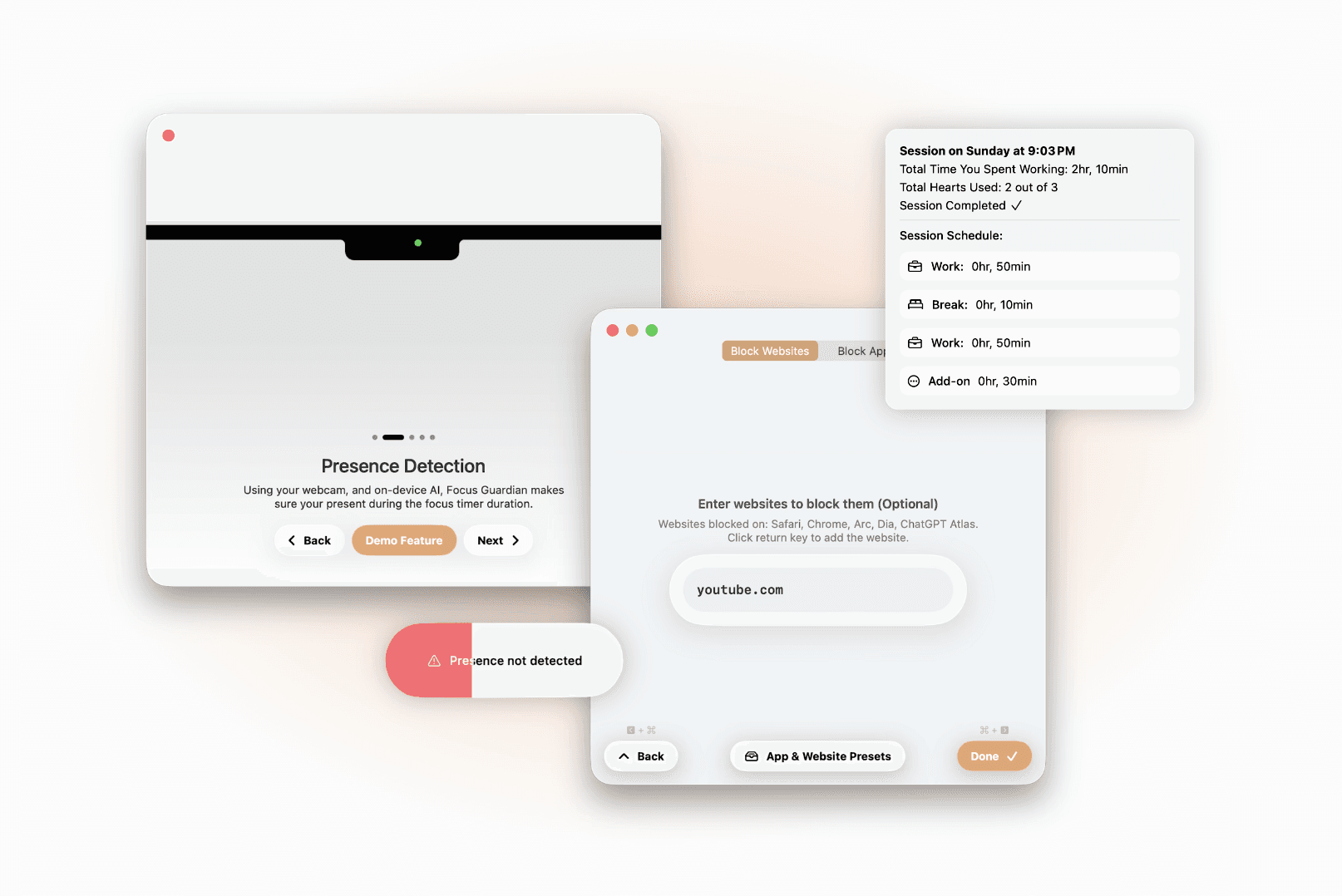
Timely’s Explanation: Timely is a focus timer that ENSURES you stay focused while the timer is running. Lose focus, and you may lose your streak or other related statistics! To ENSURE you stay focused, it uses App & Website Blocking, which prevents you from wandering into the void of digital distractions. It also uses something really never seen before, Presence Detection, which incentivizes staying at your computer while you’re supposed to be working, helping eliminate distractions in the physical world! Unlike everything else on this list, Timely is completely free. Full Transparency: I made Timely, but I STRONGLY believe it’s the best on this list! Website / Download: Timely
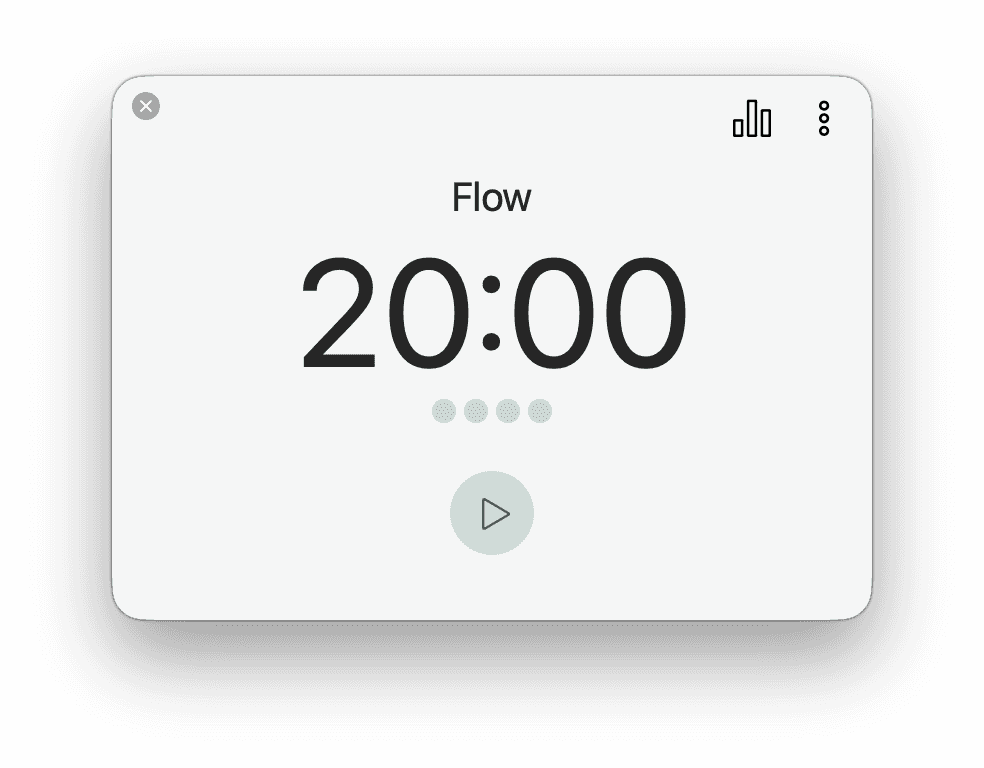
Flow’s Explanation: Excluding my app, Flow is my favorite on the list! It’s simple, elegant, high-quality, and provides an Apple-esque experience. Some major downsides are that, unlike app blocking, website blocking isn’t included in the free plan. If you want something that has both app and website blocking, give Timely a try 😉. If you were adamant about getting website blocking on Flow, it’s $2.99/month, $17.99/year, or $39.99 for lifetime access. If you paid, you also get further customization, session stats, and more! Download: Flow
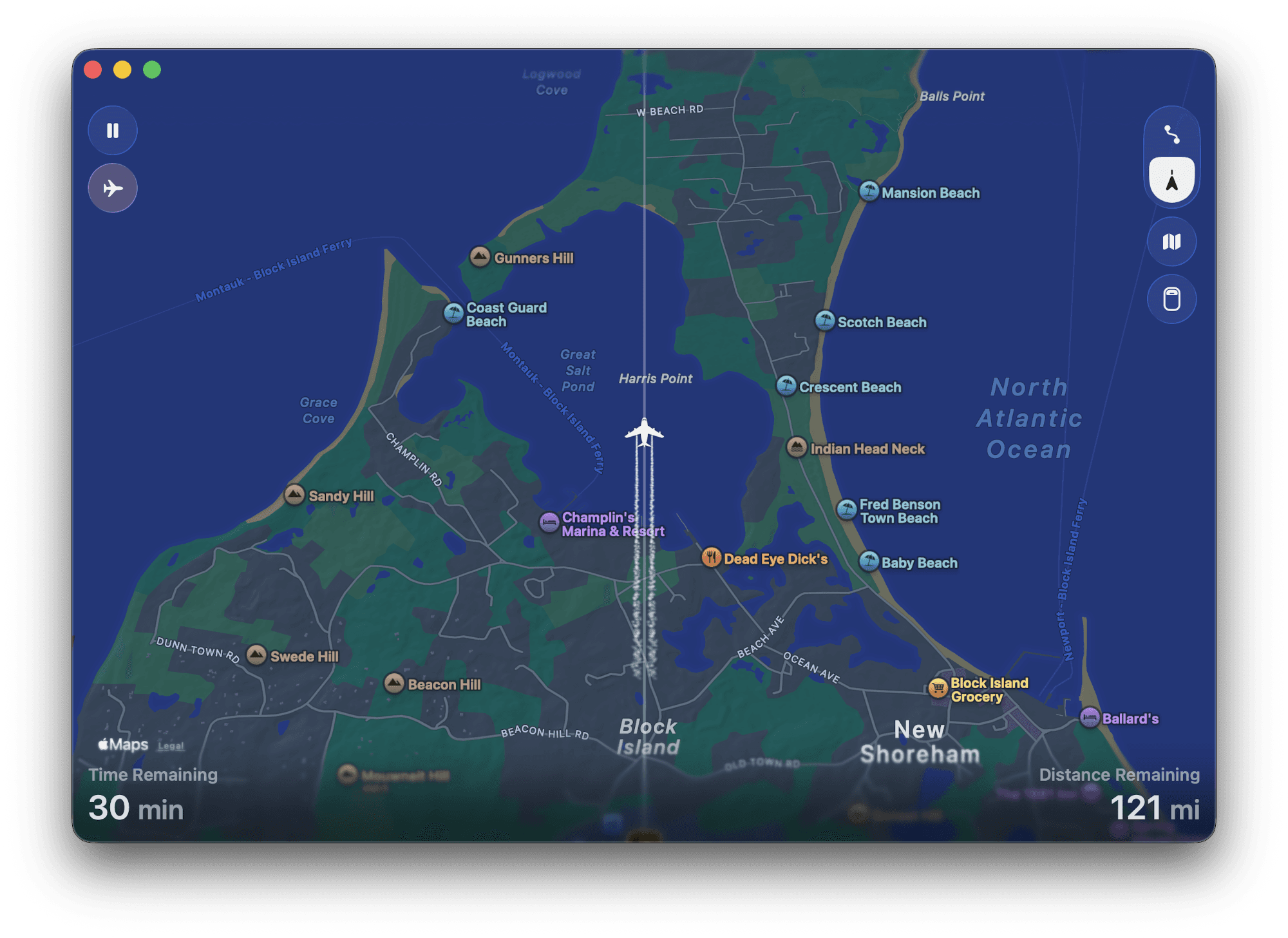
FocusFlight Explanation: FocusFlight isn’t your everyday focus timer; its session durations are dictated by where you’d like to travel on a plane. For example, say you're going from Los Angeles to Rome. You might do multiple focus sessions, each for an hour to go from the Pacific to the Atlantic Ocean, then plan one long focus session as you cross “the pond” to Europe! Compared to its alternatives, it’s lacking features like app & website blocking, a more “Mac-feeling” design, and advanced features like automations. Their paid plan, for $3.99/month, $15.99/year, or about $30 for lifetime access, gives other features like airplane window view, an enhanced flight log, analytics, unlimited tags, etc. Download: FocusFlight
Focus Timer Feature Comparison
The following table is meant to give people a good idea of which focus timers are best for them, based on feature availability!
What’s Presence Detection? Presence Detection incentivizes you to stay at your computer while you're supposed to be working, virtually eliminating distractions like going to the mall mid-focus session to procrastinate.
App Name | Price | App Blocking | Website Blocking | Presence Detection | Pomodoro Capabilities | Session Tags | Fun Concepts (Growing a forest, focusing in a plane, very cute design, etc.) | Available Devices |
|---|---|---|---|---|---|---|---|---|
Timely Beta (Our App) | Free plan only | ✅ | ✅ | ✅ | ✅ | ❌ Not Available | Kind of - Streaks, momentum, etc. | Macs running macOS 26+ |
Flow | Free plan, or Paid plan for $2.99/month, $17.99/year, or $39.99 for lifetime access | ✅ | 🟨 Paid Plan Only | ❌ Not Available | ✅ | 🟨 Paid Plan Only | Just a simple, minimal timer. (might be a plus depending on what you’re looking for) | Mac, iPad, iPhone, Apple Watch |
FocusFlight | Free plan, or Paid plan for $3.99/month, $15.99/year, or about $30 for lifetime access | ❌ Not Available NOTE: More of a fun concept type of app! | ❌ Not Available NOTE: More of a fun concept type of app! | ❌ Not Available NOTE: More of a fun concept type of app! | ❌ Not Available NOTE: More of a fun concept type of app! | ✅ Basic Tag features are included in free plan. Advanced Tag Features are not. | YES! Users can voyage from location to location as you fly over states and countries! Tons of fun! | Mac, iPad, iPhone |
FocusPomo | Free plan, or Paid plan for $3.99/month, $15.99/year, or $29.99 for lifetime access | 🟨 Paid Plan Only | ❌ Not Available | ❌ Not Available | ✅ | 🟨 Paid Plan Only | YES! A cheerful tomato collection rewards completed sessions, while abandoned sessions add an “abandoned tomato.” | Mac, iPad, iPhone |
Session | Free plan, or Paid plan for $4.99/month or $39.99/year | 🟨 Paid Plan Only | 🟨 Paid Plan Only | ❌ Not Available | ✅ | ✅ | Daily timeline, session intentions, and check-ins make it feel more reflective than game-like. | Mac, iPad, iPhone |
Be Focused | Free plan, or Paid plan for $2.99/month, $19.99/year, or $39.99 for lifetime access | 🟨 Paid Plan Only | 🟨 Paid Plan Only | ❌ Not Available | ✅ | ❌ Not Available | A simple built-in to-do list lets you turn tasks into focus sessions. | Mac, iPad, iPhone, Apple Watch |
More Detailed App Breakdown!
Want even more nitty-gritty about each app on the list, and our opinion about each one! Take a look…
Rank # 0: Timely Beta (Our App)
Website / Download: Timely | Privacy Policy: Privacy Policy | Terms & Conditions: Terms & Conditions
App Summary: Timely is a focus timer with the sole goal of preventing distractions. It’s far more than just a timer, as it comes with App & Website Blocking, Presence Detection, and advanced Pomodoro customizability. It also uses a modern Liquid Glass design.
Key Pros: Presence Detection (makes sure you can’t leave your workstation during a focus timer), App & Website Blocking, Pomodoro customizability, and design. Also, when the timer starts ticking down, it forms a small mini window that takes up very little space on your Mac!
Key Cons: No session tagging and no support for PC, Android, or iOS.
Rank #1: Flow (4.9 ⭐️, 3.8k Ratings) (Simple, clean, and premium)
App Store Download: Download Flow | Website: Flow | Privacy Policy: Privacy Policy | Terms & Conditions: Terms of Use
App Summary: Excluding my app, this is my favorite on the list! It’s simple, elegant, high-quality, and provides an Apple-esque experience. Basic timer-length customization is available in increments of five minutes, and app blocking is available for free. The downside is that users must pay $2.99/month, $17.99/year, or $39.99 for lifetime access to unlock the Pro features. These include enhanced tags, timer syncing across devices, website blocking, statistics, and more!
Key Pros: Simple to use, very little friction when starting a session, free app blocking, and an Apple-like design.
Key Cons: Payment is needed for website blocking, session naming, tags, timer syncing, and more. However, if you’re able to overlook the $3 per month, these become mostly irrelevant. Other than that, I wish I could make the timer window smaller during a focus session, as it takes up a ton of room on a 14-inch MacBook.
Rank #2: FocusFlight (4.8 ⭐️, 2.6k Ratings) (Apple Editors’ Choice) (Great Concept)
App Store Download: Download FocusFlight | Website: FocusFlight | Privacy Policy: Privacy Policy | Terms & Conditions: User Agreement
App Summary: This app lets you pick a destination and have a simulated plane fly across the map toward it. This can get kind of fun. For example, say you want to go from Los Angeles to Europe: you might complete eight sessions, each about an hour long, and then one big session to cross the Atlantic! Are you having fun? Because I am—not really, I don’t want to keep doing AP Chem 😭. Other than the fun concept, it has some serious limitations: no real breaks, no app or website blocking, and it kind of feels like a modified iOS app running on Mac, so maybe download it on iOS instead. If you’re willing to pay, it costs $3.99/month, $15.99/year, or about $30 for lifetime access. My app showed a preloaded 60% discount, but the prices I listed do not include that. Paid features include a cool airplane window view, an enhanced flight log, analytics, unlimited tags, white noise and music, and widgets.
Key Pros: Very fun and unique concept, makes completing multiple focus sessions feel like one larger journey, tags are included, and a basic flight log is available on the free tier. The paid airplane window view also seems really cool, and it offers white noise, music, analytics, widgets, and an enhanced flight log.
Key Cons: No app or website blocking, no real break or Pomodoro system, and many of its extra features require payment. It also feels like a modified iOS app rather than a fully native Mac app and bugs you about upgrading every time you open it. If you ignore the airplane system, this is probably the least advanced app on the list. However, if you don't care about some of these other features, the airplane idea is super cool!
Rank #3: FocusPomo (4.8 ⭐️, 113 Ratings) (Very Cute Design)
App Store Download: Download FocusPomo | Privacy Policy: Privacy Policy | Terms & Conditions: Terms of Use
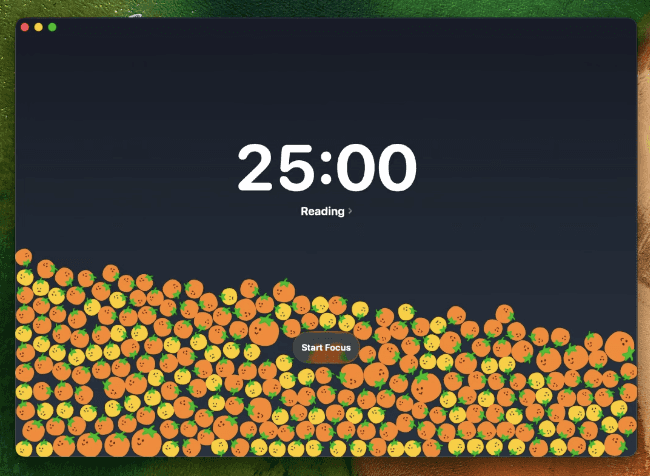
App Summary: This app is ADORABLE! When you start a session, you pick its length, and if you abandon it, the app doesn’t let you off without a punishment: you get an “abandoned tomato.” When you have a sea of happy tomatoes, one abandoned tomato ruins the look, encouraging you to finish your sessions fully. Other than that, it has no website blocking, and app blocking is only available on paid plans. Not to mention, it feels a little like an iOS app running on a Mac. If you are willing to pay, it costs $3.99/month, $15.99/year, or $29.99 for lifetime access. Paid features include unlimited tags, iCloud syncing, app blocking, stopwatch mode, and charts and analytics.
Key Pros: Very cute design, simple to use, and I love the tomato concept. Calendar syncing is also available, which I haven’t seen before and think is pretty cool, although a paid plan is needed.
Key Cons: No website blocking (huge L), and payment is needed for app blocking, statistics, widgets—I feel like I remember these being super cute—and other features. The app also lacks some of the more advanced features that competitors have.
Rank #4: Session (4.9 ⭐️, 2.8k Ratings) (The Most Advanced Pick)
App Store Download: Download Session | Website: Session | Privacy Policy: Privacy Policy | Terms & Conditions: Terms & Conditions
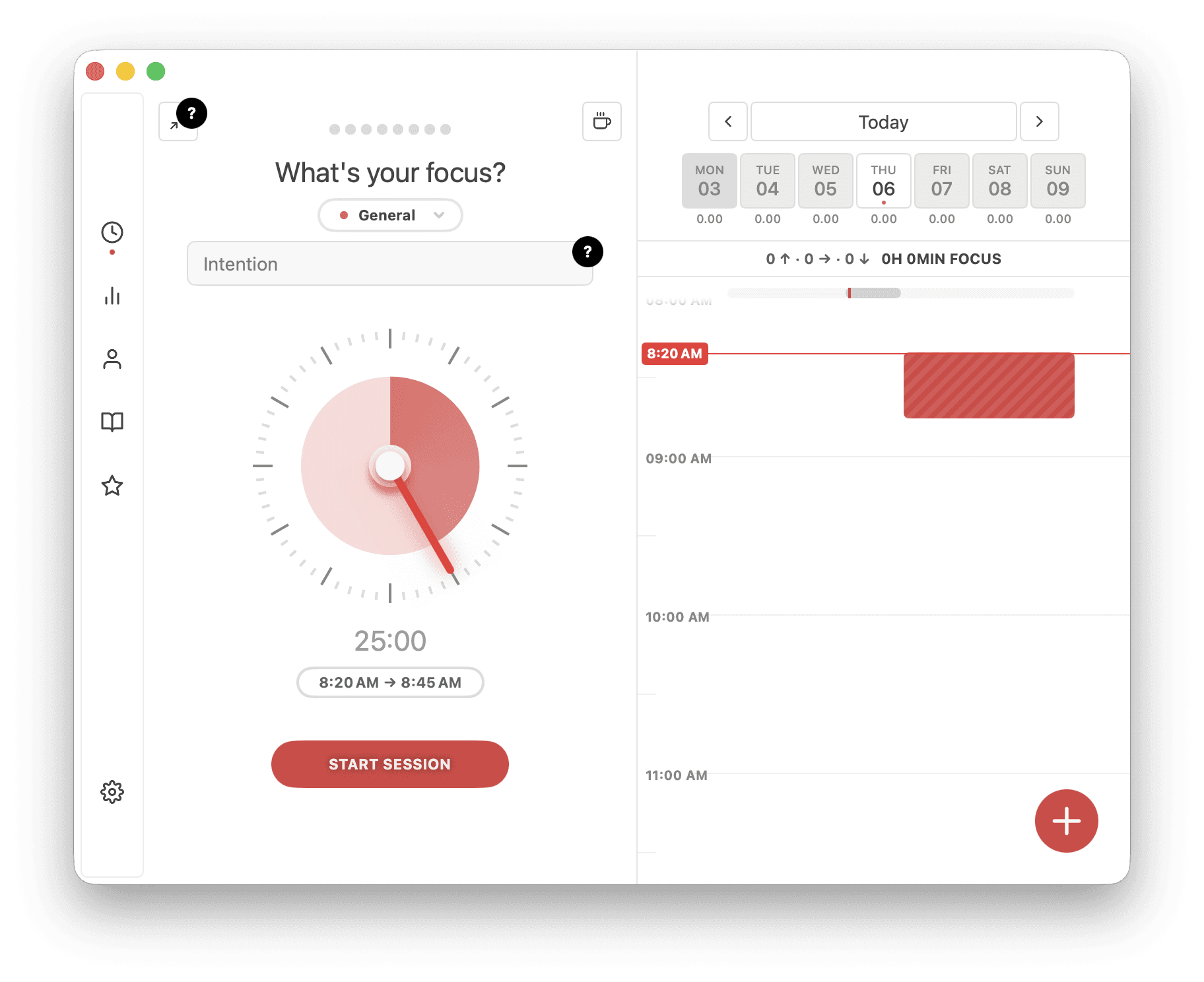
App Summary: Session is one of the more advanced focus timers on this list. Its main view has a large timeline-style calendar on the right, so you can actually see how your day was spent instead of just staring at a number of completed sessions. It also encourages you to set an intention before you begin and lets you add little comments about how your focus is going throughout the session. Unlike FocusFlight and FocusPomo, it feels much more at home on the Mac, especially because of its minimized timer view—very cool! My one major complaint is that the design lacks a LOT of polish, especially in its design. The Pro plan costs $4.99/month or $39.99/year and unlocks app and website blocking, dark mode (yes, really), widgets, Apple Calendar and Reminders integration, automations through Shortcuts and AppleScript, and more. If you can get past the price tag, this is the most advanced focus timer on this list.
Key Pros: The calendar view is awesome for seeing how productive your day actually was, and the minimized view keeps the timer compact while it counts down. The session intentions and breathing exercises are nice little touches too. If you pay for Pro, this is probably the most advanced, feature-rich timer on the list: Apple Calendar and Reminders integration are genuinely useful, and automations through Shortcuts and AppleScript are SO cool.
Key Cons: I’m not a fan of the design—it works, but it needs a lot of polish on macOS. You also have to pay for a surprising number of features, including app and website blocking, dark mode (yes, that’s a paid feature!), and widgets. Still, if you’re okay with the subscription and can overlook the design, it’s hard to find many other major cons.
Rank #5: Be Focused (4.8 ⭐️, 13k Ratings)
App Store Download: Download Be Focused | Website: Xwavesoft | Privacy Policy: Privacy Policy | Terms & Conditions: Terms of Use
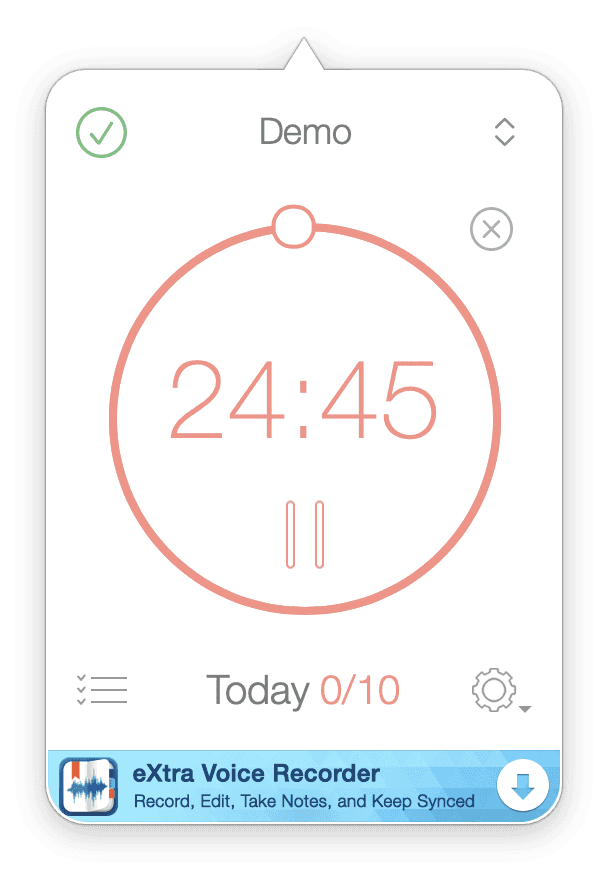
App Summary: Be Focused is a simple menu bar app that shows the time remaining in your focus session. It also includes a basic to-do list, so you can write down tasks throughout the day and turn them into focus timers when you’re ready to start. The interface looks a little dated next to newer apps, and the free version has an ad at the bottom of the window. Upgrading costs $2.99/month, $19.99/year, or $39.99 for lifetime access. The paid plan adds app and website blocking, automations, and data syncing across Apple devices. All in all, it’s one of the simpler-feeling apps on this list—and that can be a good thing.
Key Pros: Very simple to use, with a built-in to-do list that makes it easy to turn your tasks into focus sessions. The menu bar setup is nice if you want to keep things out of the way, and the paid plan adds automations plus syncing across Apple devices.
Key Cons: The design feels pretty dated, especially compared with newer Mac apps, and the free version includes an ad. App and website blocking also require a paid plan. It’s a solid no-frills timer, but it doesn’t have many of the more advanced or polished features that some competitors offer.
